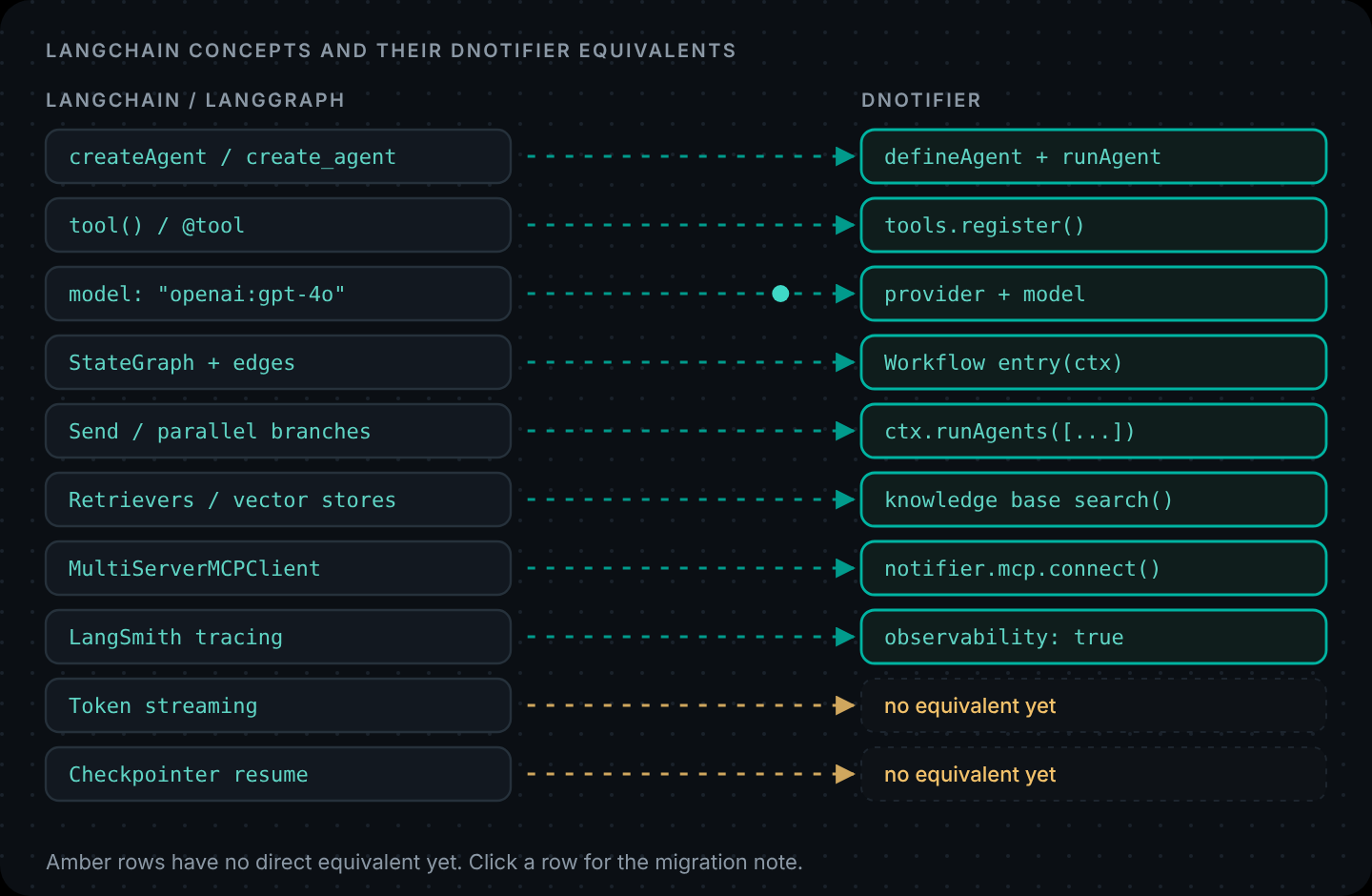
Short answer: most LangChain agent code maps directly.
createAgent/create_agentbecomesDNotifier.defineAgentplusnotifier.runAgent,tool()and@toolbecomenotifier.tools.register, the"provider:model"string becomes separateproviderandmodelfields, and LangGraph graphs become a workflow'sentryfunction. Token streaming, structured output and checkpoint-based resume have no direct equivalent in DNotifier yet, so migrate agents that don't depend on them first, one at a time, behind the same API.
LangChain is a big, capable ecosystem, and plenty of teams should stay on it. This guide is for teams who've decided they'd rather not host the agent runtime, tracing and permission checks themselves, and want to know exactly what moving looks like before committing.
We'll go concept by concept, then rewrite a typical LangChain agent in DNotifier line by line, then be specific about what doesn't carry over. If you're still deciding whether to move at all, our LangChain comparison covers the broader differences, and How to Build an AI Agent shows a complete DNotifier agent end to end.
LangChain to DNotifier concept map
The concept map
| LangChain / LangGraph | DNotifier | Notes |
|---|---|---|
createAgent() (JS) / create_agent() (Python) | DNotifier.defineAgent() + notifier.runAgent() | Both run a ReAct-style tool loop |
tool() / @tool | notifier.tools.register() | Zod or type hints become a JSON schema |
model: "openai:gpt-4o" | provider: "open_ai", model: "gpt-4o" | 8 providers through one API |
systemPrompt / system_prompt | instructions | Same idea |
agent.invoke({ messages }) | notifier.runAgent(agent, { input }) | Returns output, finishReason, executionId |
recursionLimit | maxToolRounds | A hard cap on tool rounds |
checkpointer + thread_id | sessionId on AI calls, or your own history | No checkpoint-based resume yet (see below) |
StateGraph nodes and edges | new DNotifier.Workflow({ entry(ctx) }) | Edges become ordinary ifs and awaits |
Send / parallel branches | ctx.runAgents([...]) | Runs agents at the same time, results in order |
interrupt() for human input | ctx.waitForMessage() (WebSocket transport) | Or end the run and start a second one on approval |
| Retrievers / vector stores | Knowledge base: addDocument() + search() | Managed, no vector database to run |
MultiServerMCPClient (MCP adapters) | notifier.mcp.connect() | Remote MCP servers over HTTP |
| LangSmith tracing | observability: true | Built in; no separate evals product |
| Tool access per agent | permissions map + permissionEnforcement: "backend" | Checked on the server before each tool runs |
A LangChain agent example, rewritten side by side
Here's a small, typical LangChain agent example in JavaScript: one tool that looks up an order, a system prompt and a call. (db stands in for your own data access.)
LangChain (JavaScript)
// langchain-agent.mjs
import { createAgent, tool } from "langchain";
import * as z from "zod";

const lookupOrder = tool(
  async ({ orderId }) => {
    const order = await db.orders.find(orderId); // your data access
    return order ? JSON.stringify({ status: order.status, eta: order.eta }) : "No order with that id.";
  },
  {
    name: "orders_lookup",
    description: "Look up an order by id, like A-1042. Returns status and ETA.",
    schema: z.object({ orderId: z.string() }),
  }
);

const agent = createAgent({
  model: "openai:gpt-4o",
  tools: [lookupOrder],
  systemPrompt: "You help customers with orders. Use tools for facts; never guess dates.",
});

const result = await agent.invoke(
  { messages: [{ role: "user", content: "Where is order A-1042?" }] },
  { recursionLimit: 10 }
);
console.log(result.messages.at(-1).content);
DNotifier (JavaScript)
// dnotifier-agent.mjs
import { DNotifier } from "@dnotifier-realtime/dnotifier";

const notifier = new DNotifier({
  appId: process.env.DNOTIFIER_APP_ID,
  secret: process.env.DNOTIFIER_SECRET,
  transport: "http",
  userId: "orders-api",
  permissionEnforcement: "backend",
});
await notifier.connect();

const lookupOrder = notifier.tools.register({
  name: "orders.lookup",
  description: "Look up an order by id, like A-1042. Returns status and ETA.",
  inputSchema: {
    type: "object",
    properties: { orderId: { type: "string" } },
    required: ["orderId"],
  },
  async execute({ orderId }) {
    const order = await db.orders.find(orderId); // your data access
    return order ? { status: order.status, eta: order.eta } : { found: false, note: "No order with that id." };
  },
});

const agent = DNotifier.defineAgent({
  name: "order-help",
  instructions: "You help customers with orders. Use tools for facts; never guess dates.",
  provider: "open_ai",
  model: "gpt-4o",
  observability: true,
  tools: [lookupOrder],
  permissions: { "orders.lookup": ["execute"] },
});

const result = await notifier.runAgent(agent, {
  input: "Where is order A-1042?",
  maxToolRounds: 5,
});
console.log(result.output);
What changed, line by line
- The tool. The function body didn't change. The Zod schema became a JSON schema, and the tool can return an object instead of a string. The description, which is what the model actually reads, copies straight across. (Why that matters: Tool Calling Explained.)
- The model.
"openai:gpt-4o"splits intoproviderandmodel. Switching to Claude or Gemini is a change to those two fields, with the provider key added once in the dashboard. - Permissions are new. The agent lists which tools it may execute, and with
permissionEnforcement: "backend"the check happens on the server. In LangChain, any tool you pass is callable. - Limits.
recursionLimitcounts graph steps;maxToolRoundscounts tool rounds. Start with the number of tool calls a normal question needs, plus one or two. - The answer. Instead of reading the last message from state, you read
result.output, andresult.finishReasontells you whether the agent stopped normally or ran out of rounds. - Tracing.
observability: truereplaces the LangSmith environment variables. Each run is listed in the dashboard under itsexecutionId.
Migrating a LangGraph graph
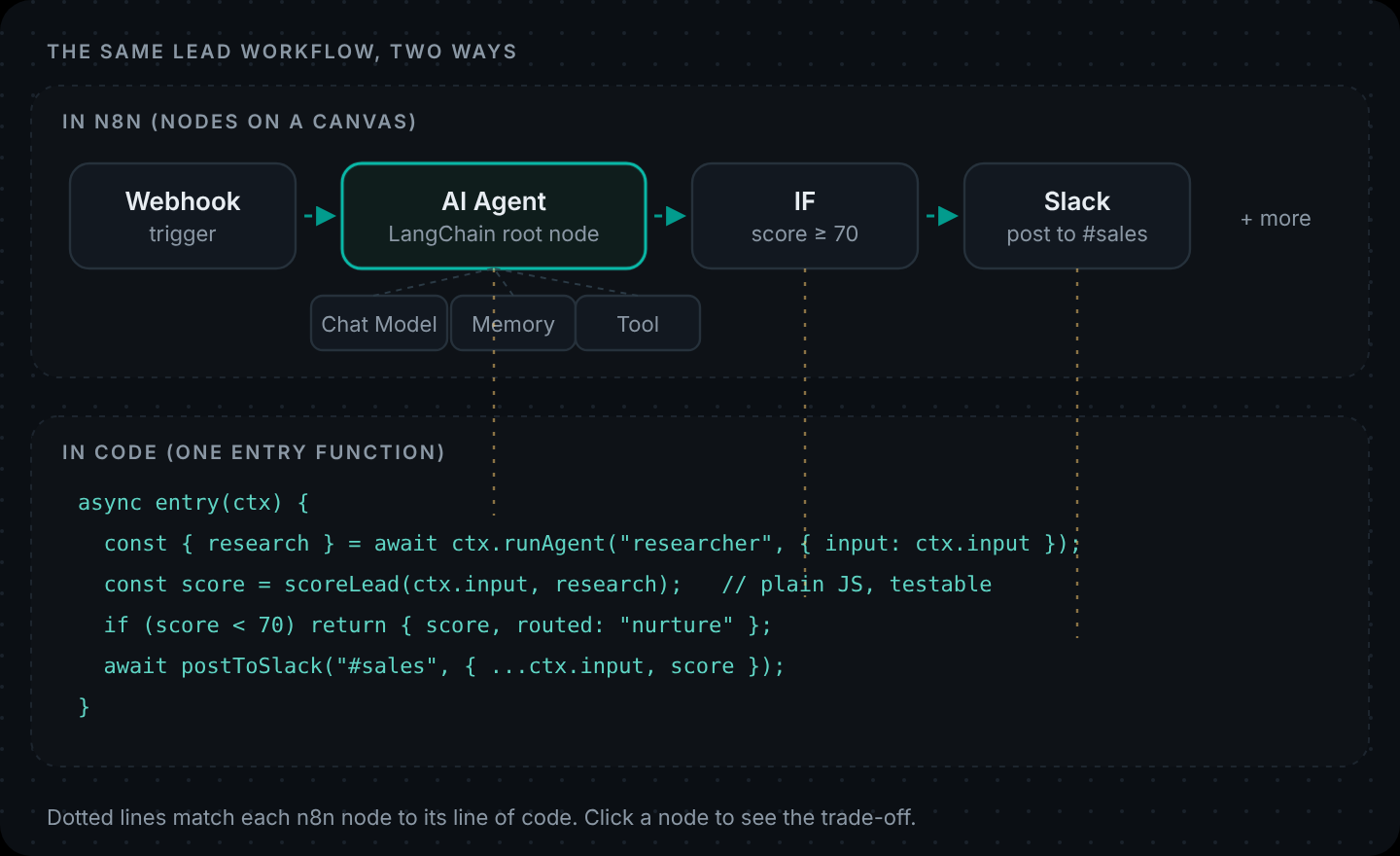
If you've moved past single agents into LangGraph, the graph becomes a workflow, and the edges become code. A router with two specialists, for example:
const support = new DNotifier.Workflow({
  name: "support-router",
  observability: true,
  async entry(ctx) {
    const { intent } = await ctx.runAgent("intent-agent", { input: ctx.input }); // node
    if (intent === "policy") return ctx.runAgent("policy-agent", { input: ctx.input }); // conditional edge
    const { results } = await ctx.runAgents([
      // parallel branches
      { name: "order-help", input: ctx.input },
      { name: "policy-agent", input: ctx.input },
    ]);
    ctx.state.drafts = results; // shared state
    return mergeDrafts(ctx, results); // join
  },
}).registerAgents({ "intent-agent": intentAgent, "order-help": orderAgent, "policy-agent": policyAgent });
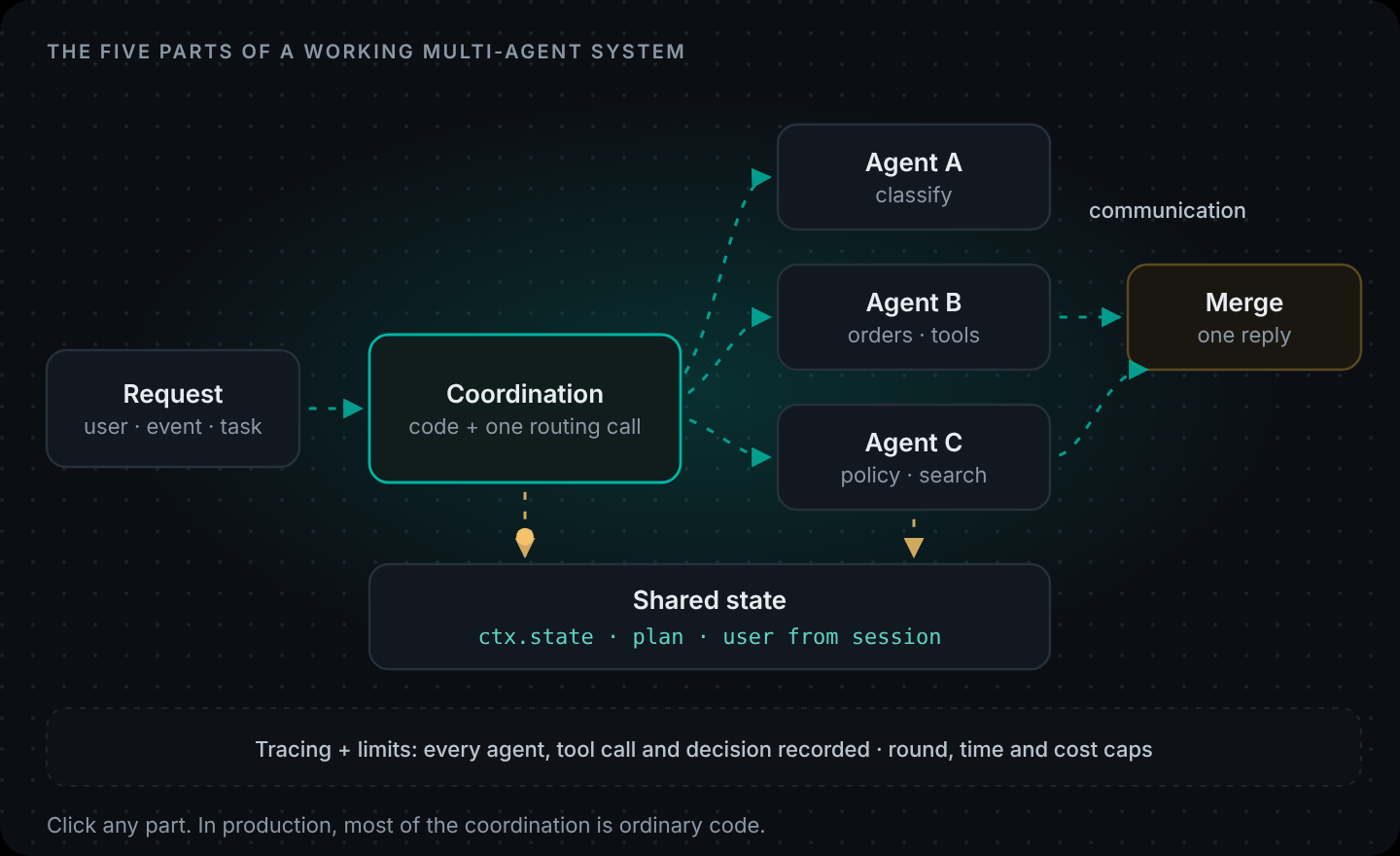
Graph state becomes ctx.state, conditional edges become ifs, parallel branches become ctx.runAgents, and the join is just the line after the await. The full working version is in How to Build a Multi-Agent Workflow.
What a LangChain agent can do that doesn't map (yet)
Be honest with yourself about these before you start. If one of them is central to an agent, migrate that agent last or keep it on LangChain for now.
- Token streaming. LangChain streams tokens as they're generated. DNotifier returns the full answer; you can stream progress (for example "Looking up order A-1042…") from your tools to the client, which AI Agent Architecture shows, but not token-by-token text.
- Structured output. LangChain's
responseFormatvalidates the final answer against a schema. In DNotifier, ask for JSON in the instructions and parse it in code with a fallback, which is the pattern our workflow examples use. - Checkpointing and resume. LangGraph checkpointers save graph state so a run can pause and resume later, even after a restart. DNotifier workflows can wait for a message on an open WebSocket, but there's no durable checkpoint store. For long waits, end the run, save what you need, and start a new run when the person replies.
- Middleware and prebuilt agent features. LangChain v1 ships middleware such as human-in-the-loop and summarisation. Rebuild what you need explicitly: approvals as a tool that opens a request, summarisation as its own step.
- Evaluations. LangSmith's datasets and evaluators have no DNotifier equivalent. Keep LangSmith or use another evals tool for that part.
- The integration catalogue. LangChain has hundreds of community integrations. In DNotifier, an integration is a tool you register or an MCP server you connect.
A safe migration order
- Inventory your agents. For each: tools, model, memory, streaming, structured output, human-in-the-loop. Mark which use the features in the list above.
- Pick the simplest agent first. Tools plus a prompt, no streaming. That's most support and lookup agents.
- Move the tools first. Tool functions copy across almost unchanged. Wrap each one in
notifier.tools.register()and keep the description word for word. - Run both side by side. Send the same twenty real questions to both versions and compare answers and tool calls. Differences usually trace back to a description that lost a hint.
- Switch behind the same endpoint. Your frontend calls
/api/agenteither way. Flip the route with a feature flag, watch the traces for a week, then remove the old code. - Then move graphs. Once single agents are stable, rewrite LangGraph graphs as workflows, one at a time.
Is DNotifier a good alternative to LangChain?
It depends on what you want to own. LangChain gives you the most flexibility and the biggest ecosystem, and you host the runtime and tracing yourself or buy LangSmith. DNotifier gives you a hosted agent runtime with workflows, permission checks, a knowledge base, realtime messaging and tracing behind one SDK in JavaScript, Python and Dart, with fewer moving parts and fewer features at the edges. If the "what doesn't map" list above doesn't touch your agents, it's a short move. If it does, wait or migrate selectively.
Planning a migration? Start with one agent and the concept map above. Define an agent (docs) · Create your app
FAQ
How do I migrate from LangChain to another agent framework?
Inventory your agents and the LangChain features each one uses. Move the simplest agent first: copy the tool functions and descriptions, recreate the agent with the new framework's agent definition, run both versions side by side on real questions, and switch behind the same API endpoint once the answers match.
What is the DNotifier equivalent of LangChain create_agent?
DNotifier.defineAgent() with instructions, provider, model, tools and permissions, run with notifier.runAgent(). Like create_agent, it runs a tool-calling loop until the model answers or hits the round limit set by maxToolRounds.
How do LangChain tools map to DNotifier tools?
A LangChain tool() or @tool function becomes notifier.tools.register() with the same name, description and function. The Zod schema or Python type hints become a JSON schema in inputSchema.
What LangChain features does DNotifier not have yet?
Token-by-token streaming, schema-validated structured output, checkpoint-based pause and resume, LangChain's prebuilt agent middleware, and LangSmith-style evaluations and datasets.
Is DNotifier a good alternative to LangChain?
It is if you want a hosted agent runtime with workflows, permissions, a knowledge base and tracing included, and your agents don't depend on streaming, structured output or checkpointing. Teams that rely on those features or on LangChain's integration catalogue may be better off staying.
Can I migrate a LangGraph graph to DNotifier?
Yes. Nodes become agents or steps in a workflow's entry function, conditional edges become if statements, parallel branches become ctx.runAgents(), and graph state becomes ctx.state. Durable checkpoints don't carry over.